Every shipment, surcharge, fuel charge, and adjustment lands in the customer's open balance the moment it's earned. When you're ready to bill, you pick the mode that fits the customer - batch run, single invoice, or hand-picked AWBs - and the system writes the invoices, attaches the charge detail, and posts to AR. PDFs, statements, and online payment links are generated automatically.

Three Ways to Bill

Bill the way your customers expect. Run a batch across all credit customers for a date range, cut a single invoice for one customer's open charges, or hand-pick specific AWBs when a customer needs a one-off bill. Customers can pay online, or you can record a cheque, ACH, or wire. Mix modes per customer if you need to.

Online Payment, Built In

Connect Stripe in two clicks and customers can pay any open invoice from your web portal. Payments post back to the invoice automatically and the customer's balance updates in real time. No reconciliation, no month-end CSV imports.

Automation When You Want It

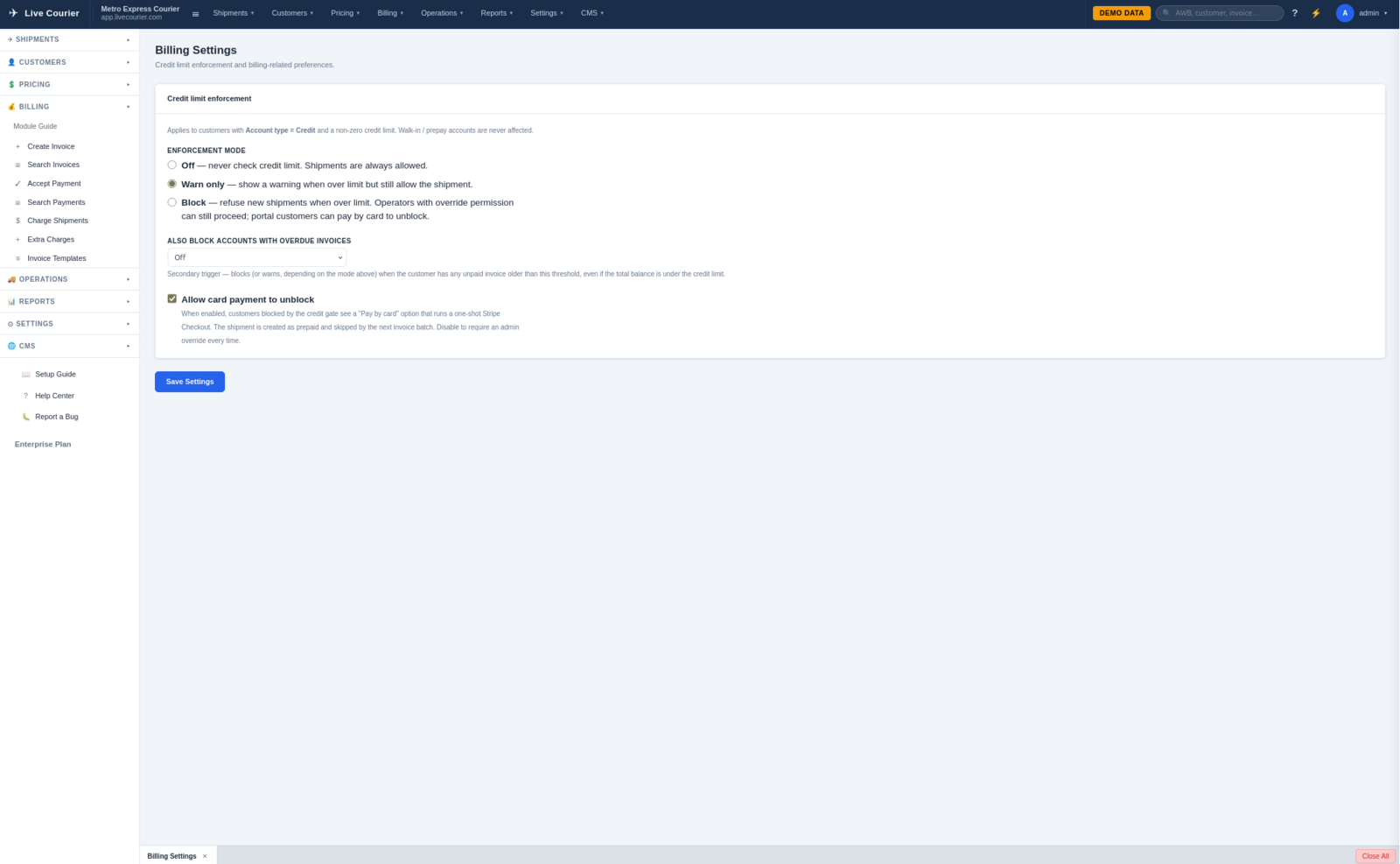
Set the rules once, walk away. Auto-charge shipments the moment they're delivered. Run prepay accounts where customers top up and charges draw down the balance. Set per-customer credit limits to flag or block at-risk shipments before they leave the dock. Let overdue reminders chase late customers without you lifting a finger.
Every Invoice, Every Status

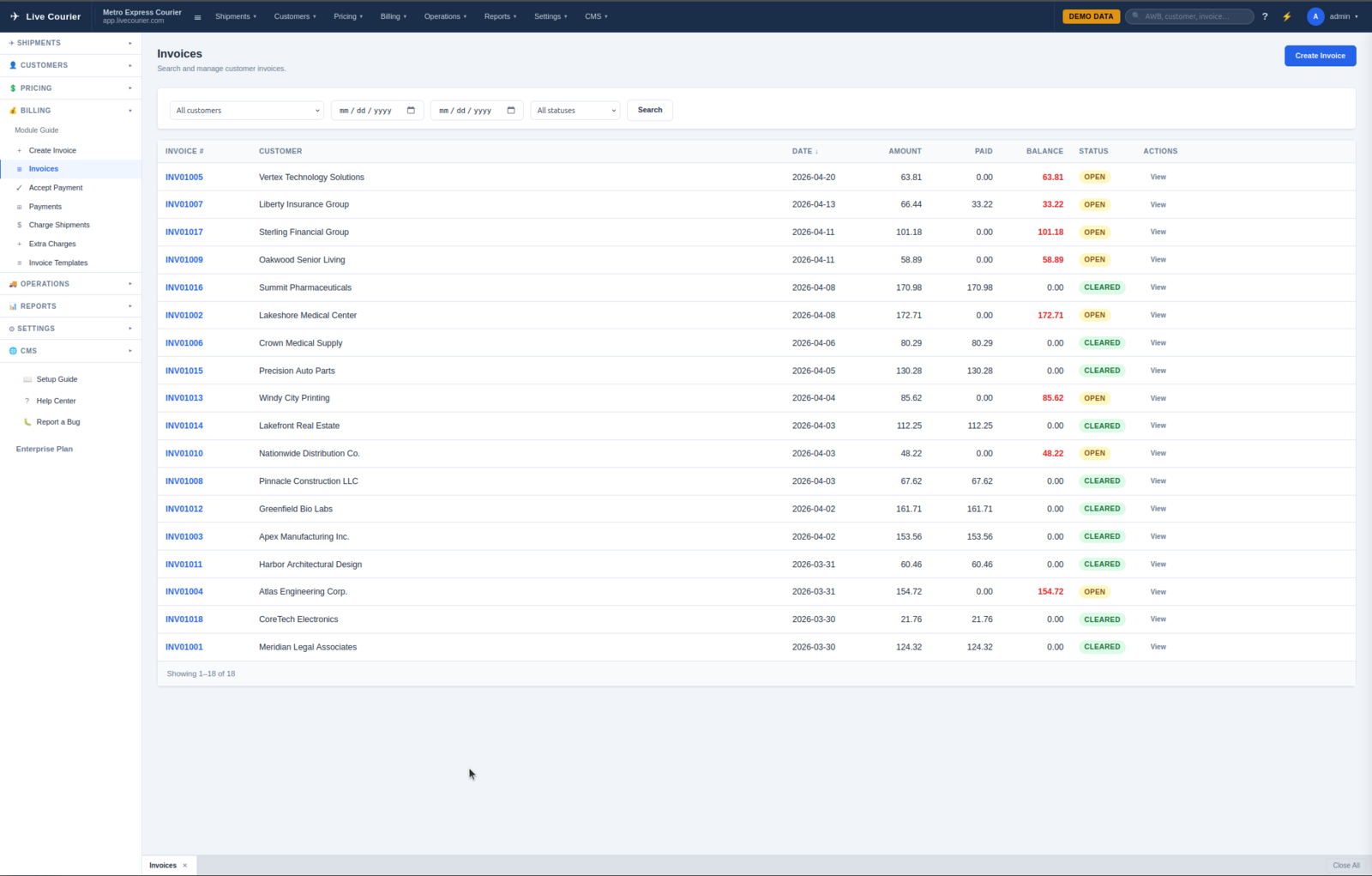
The invoice list is the operator's home base for AR. Filter by status, customer, or date range. See at a glance what's draft, sent, paid, partially paid, or overdue. Click any row to drill into the charge detail.

  • Status filters - draft, open, paid, partial, void. Switch instantly.
  • Customer search - jump straight to one customer's invoices.
  • Bulk actions - email, mark sent, export selected invoices in one click.
  • Quick totals - billed, paid, outstanding, all on the same screen.
Invoice list with status filters, customer search, and outstanding totals

Bill a Whole Period in One Click

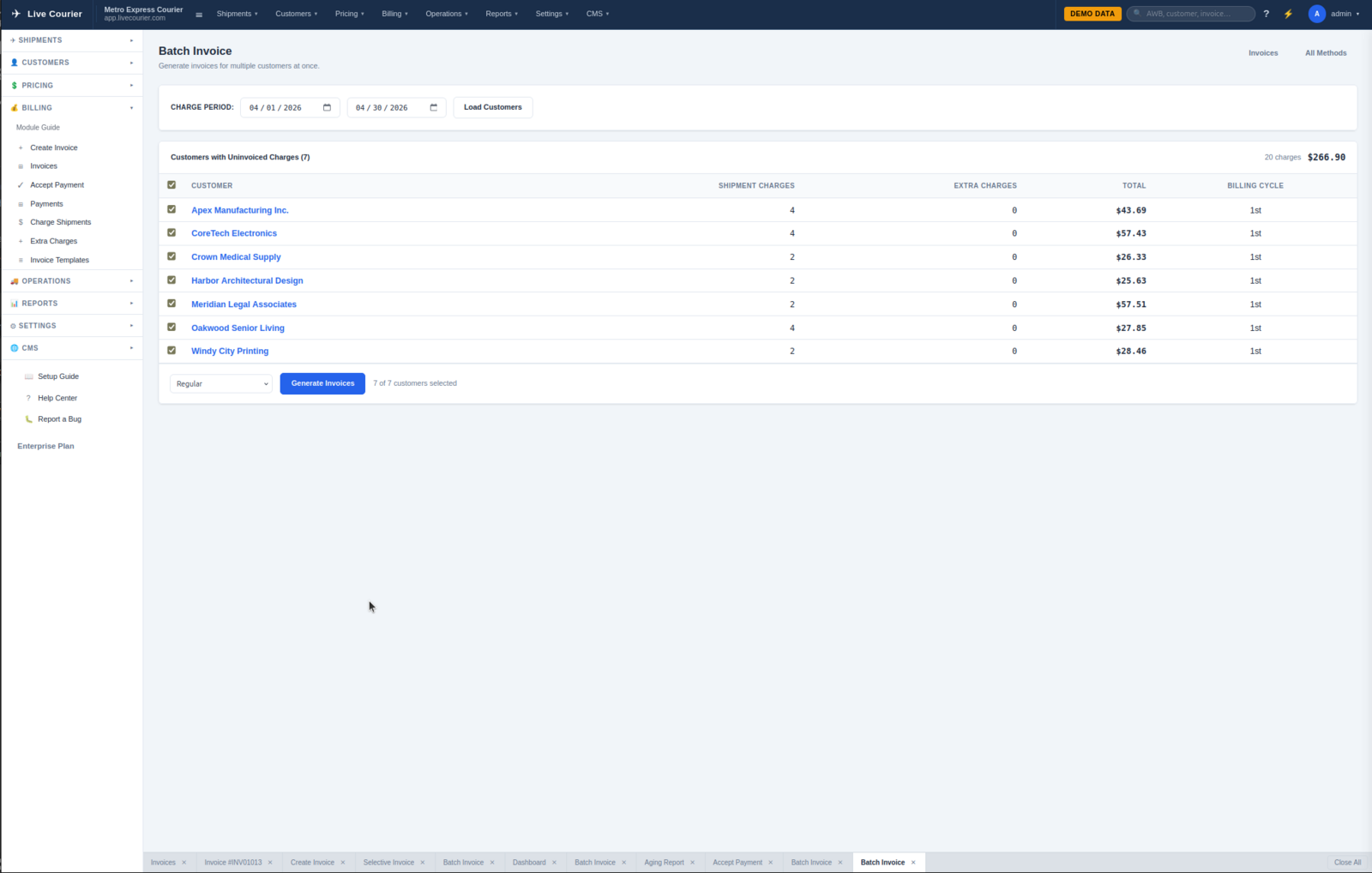
Pick a date range, pick the customers (all of them, a billing-cycle group, or a hand-picked list), and click Generate. The system writes one invoice per customer covering every uninvoiced charge in that window, attaches the AWB-level detail, and queues the PDFs.

  • Per-customer billing cycle - some weekly, some monthly, the system respects each one.
  • Preview before commit - see how many invoices and the total before anything is written.
  • Auto-email on generate - optional, sends the PDF + payment link the same minute.
Batch invoice generator with date range, customer selection and preview

The Detail Your Customer's Bookkeeper Wants

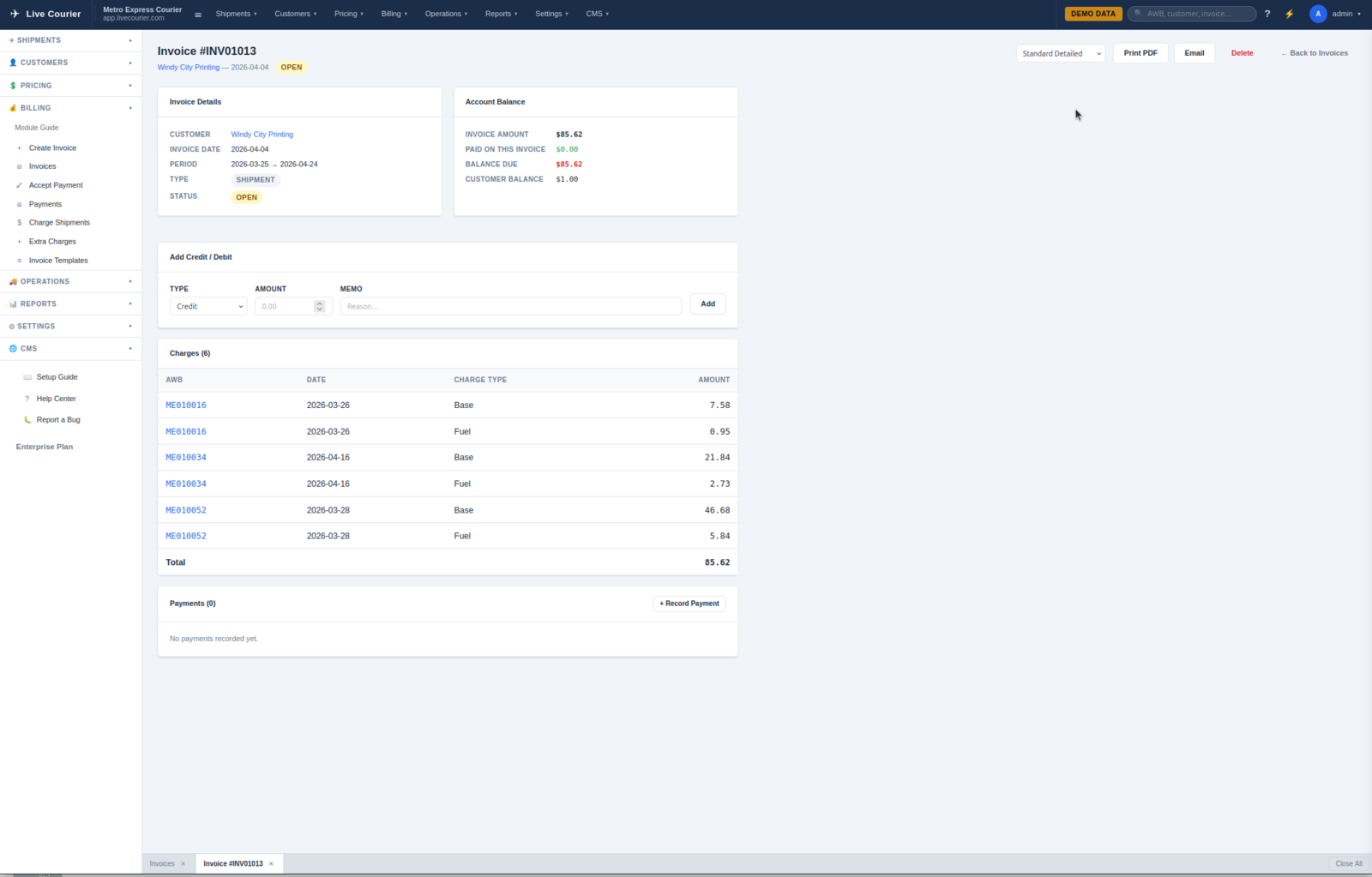
Every invoice shows the AWB, date, route, service, and itemised charges - base, fuel, surcharges, adjustments. The PDF that goes to the customer is the same data, formatted for print. No "what is this charge?" emails.

  • Line-by-line charges - one row per AWB, fully itemised.
  • Customisable PDF template - your logo, your terms, your remit-to.
  • Email history - when it was sent, opened, and to whom.
  • Adjustments & credits - apply a credit or write-off without leaving the page.
Invoice detail with line items, charges itemised, and payment status

Record Any Payment, Online or Off

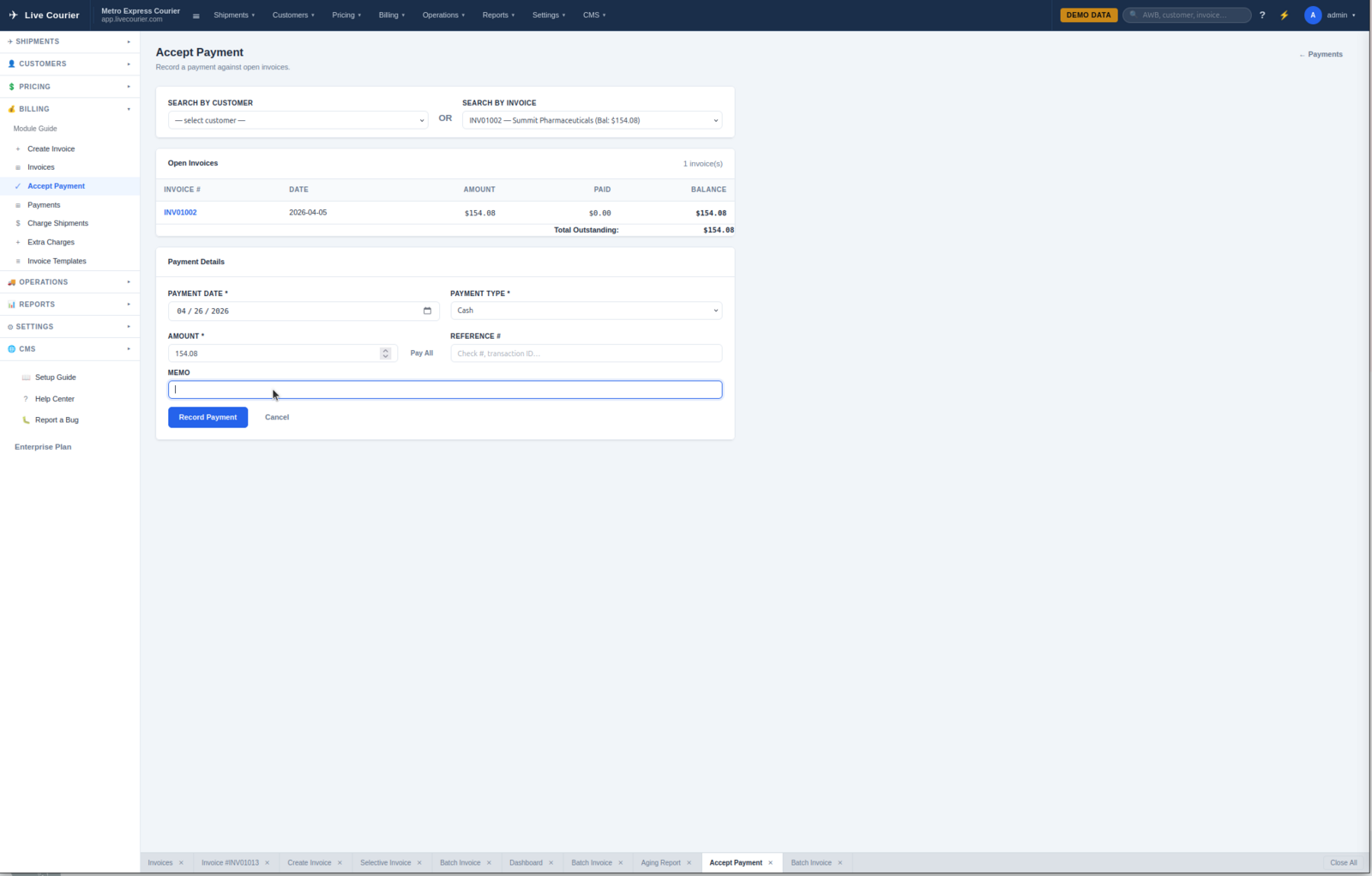
Card payments through Stripe post automatically. For everything else - cheque, ACH, wire, cash - record it in seconds. Payment date, amount, reference, applied to which invoice. Partial payments are first-class: short-pay an invoice and the balance stays open.

  • Offline payment types - cheque, ACH, wire, cash, custom.
  • Apply across invoices - one cheque, multiple invoices, no math required.
  • Stripe payouts - card payments deposit to your bank like any other Stripe charge.
Payment recording form with type, amount, and invoice selection

Know Who Owes You What, Today

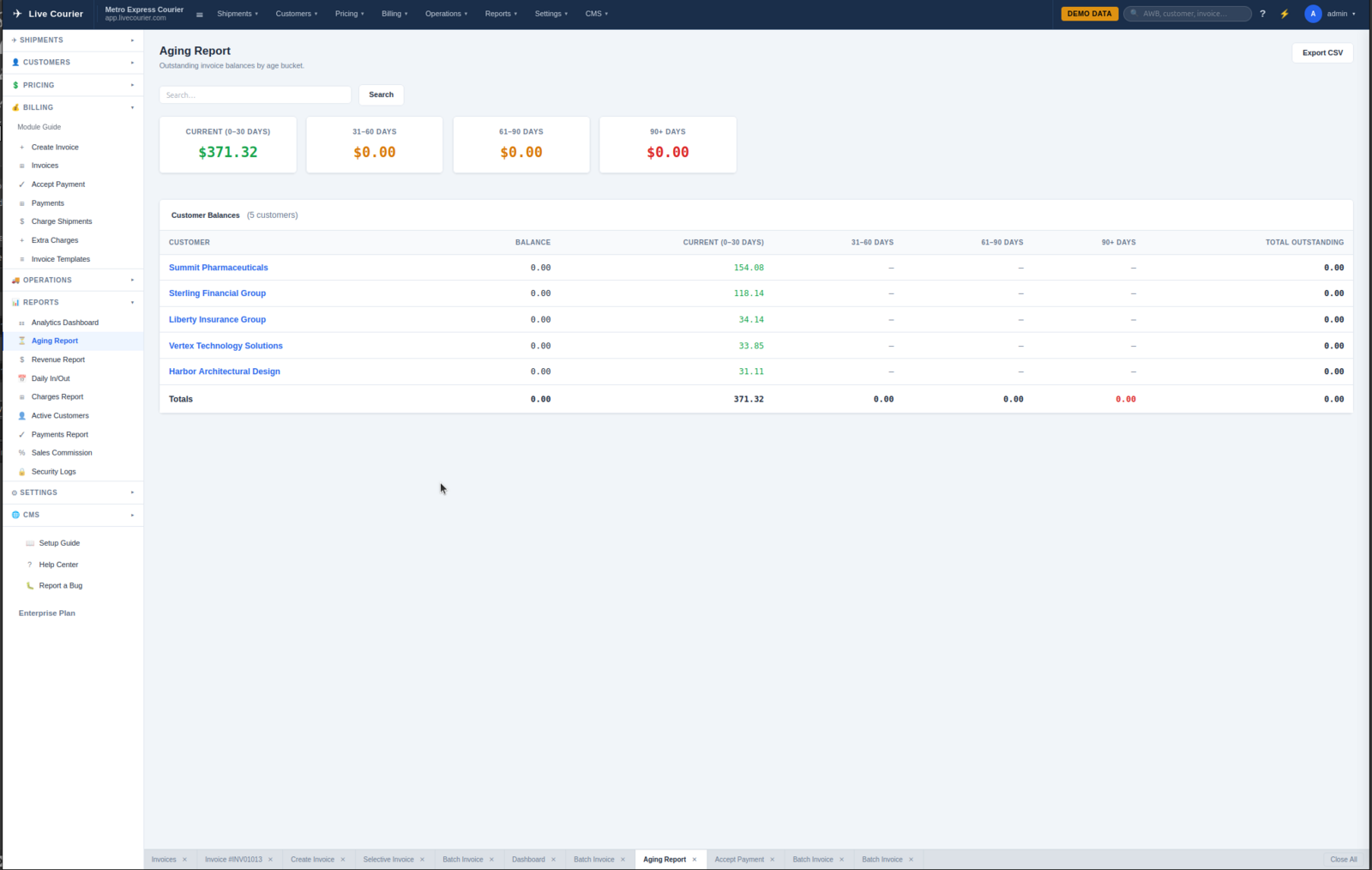
The aging report is your collections cockpit. Every customer with an open balance, broken into 0-30, 31-60, 61-90, and 90+ buckets. Click any customer to see the invoices that make up their balance. Click any invoice to send a reminder.

  • Aging buckets - 0-30 / 31-60 / 61-90 / 90+, totals at the bottom.
  • One-click reminders - email a payment link straight from the report.
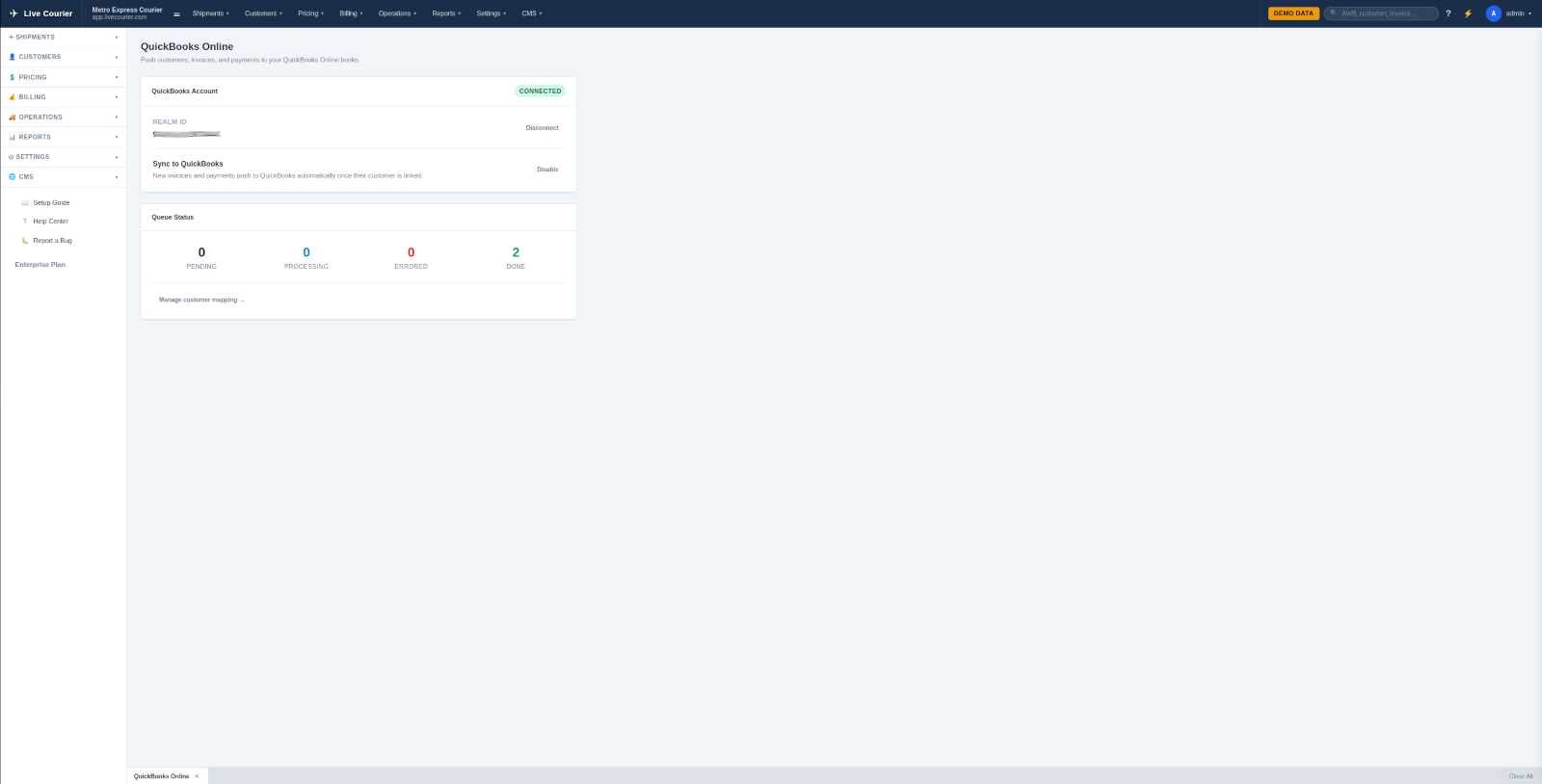
  • Export to CSV - hand it to your accountant or import into QuickBooks.
AR aging report with 30/60/90 day buckets per customer

What's Behind It

The pieces that make billing feel like a finance system, not a CSV graveyard.

Related

Close Your Books in an Hour, Not a Weekend

Start a free trial, load demo data, and run an end-to-end billing cycle in fifteen minutes.

Start Free Trial